

So what is online mastering?
Online mastering songs is the final “release prep” step you do using cloud-based tools. The goal is straightforward: your track should sound balanced, hit a competitive level, and translate properly on the systems people actually use, especially streaming platforms like Spotify and Apple Music.
In simple terms, online mastering songs takes the file you export from your DAW and prepares it so it sounds right across headphones, cars, speakers, and streaming platforms.
For most independent artists, it’s the last step before distribution, and it has a big impact on how your song holds up next to other releases.
The moment most artists notice they need it
There’s a point where the track is technically finished, but something feels off.
You’ve got the mix where you want it. You’ve listened on your headphones, your speakers, maybe in the car. It feels right. Then you drop it into a playlist next to a commercial release and your song doesn’t land the same way.
It’s not always “worse”, just smaller, flatter, or less confident.
That’s usually when people start searching for online mastering, even if they don’t call it that yet.
What mastering actually does (without the tech talk)
A lot of mastering explanations go straight to jargon. Most artists don’t experience it that way.
What you’re really trying to achieve is simple. Your track should hold its own.
Mastering:
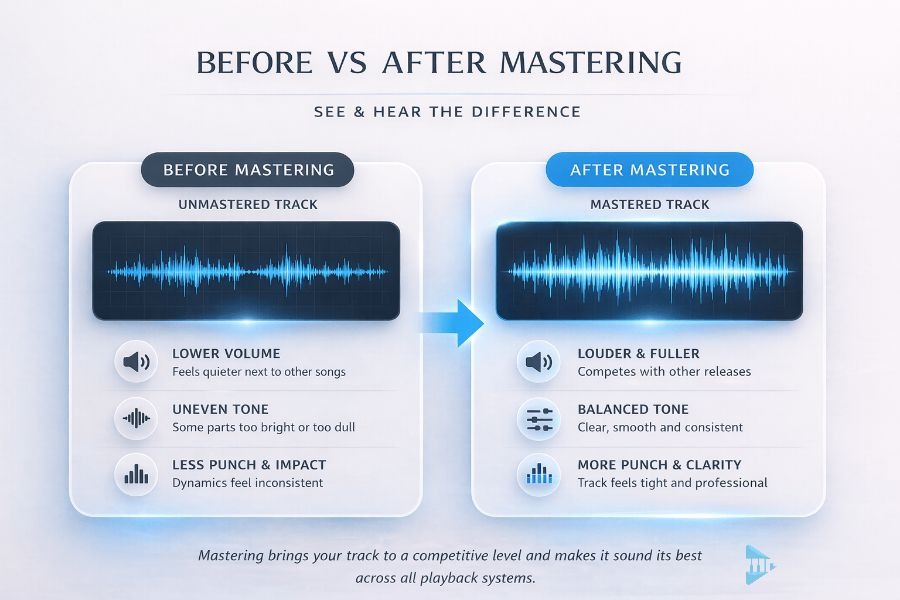
- Brings the overall level up so it doesn’t feel quietly tucked behind everything else.
- Evens out the tonal balance so nothing is painfully sharp or oddly hollow.
- Tightens the dynamics so the track feels consistent from start to finish.
- Helps the stereo image feel open, not cramped or boxed in.
Engineers will describe that with terms like loudness, EQ, compression, and stereo width.
They’re not wrong. But as an artist, you’ll judge it on one thing:
Does my track belong next to everything else people are listening to?
What’s actually happening to your track
An unmastered track is simply the output from your DAW.
It works, but it hasn’t been shaped for release yet.
Mastering takes that file, compresses and balances it so it feels more solid and consistent across different systems.
The mix is the main work. Mastering ensures it holds up everywhere else.
Why your track can feel quieter, even when it sounded fine in the studio
This is where the frustration usually comes from.
You export something that felt great while you were producing it. Then you play it elsewhere and it feels underwhelming. Not broken. Just missing that last bit of energy and finish.
Streaming platforms do use loudness normalisation, but that’s not the same thing as mastering. They can turn a track up or down, but they don’t fix balance, density, punch, or clarity.
If your song hasn’t been mastered properly, it can end up feeling like it sits behind everything else, even if the mix itself is good.
Where online mastering songs fit in the bigger release process
Mastering isn’t a random box to tick at the end. It’s the handoff between “the track is done” and “the track is out”.
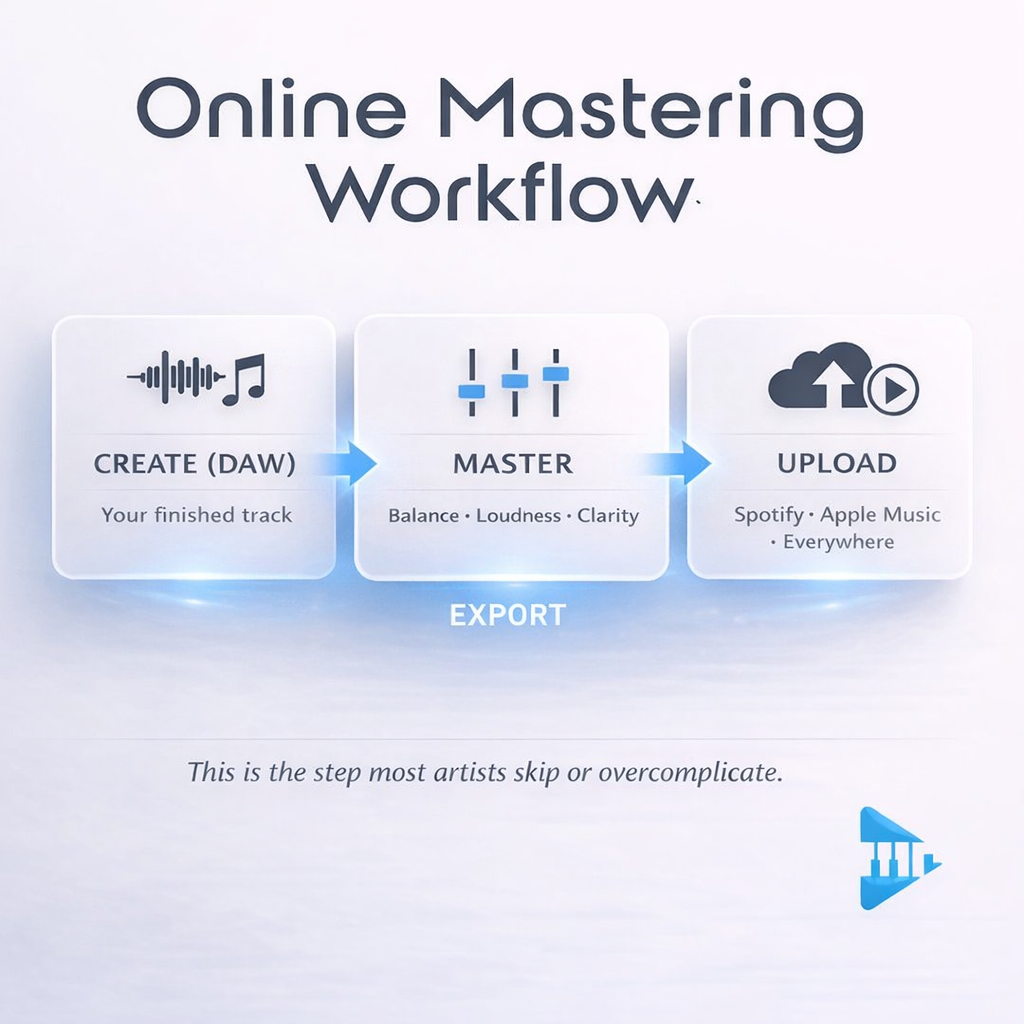
Zoomed out, the release flow is simple:
You make the track. You prepare it for release. You distribute it. People listen. You start seeing results.
Mastering sits right in the middle. It’s the bridge between creation and everything that happens next.
Where things start getting messy
The issue usually isn’t mastering itself. It’s the way it gets bolted onto the process.
A lot of artists end up in a loop like this: export the file, upload to a mastering service like LANDR, wait, download the result, then upload again to a distributor.
It works, but it pulls you out of your flow every time.
This is something we see constantly with independent artists. The track is ready, but the process around it slows everything down.
The bigger problem most people don’t name
It’s fragmentation.
Creation happens in your DAW. Online mastering sits in a different tool. Distribution to Spotify and Apple Music is handled through a separate distributor. Then analytics, rights admin, and tracking what happens after release often live in their own dashboards again.
Each platform does one job, but the gaps between them create friction. You spend time exporting, uploading, downloading, and keeping track of which version is the “final” one.
As Mike Lewis described after simplifying his setup and reducing the number of moving parts:
“Everything is under one umbrella. It’s not messy, it’s easy. After my research, it was an easy choice to make.”
That’s the difference most artists are actually looking for. Not one platform that does everything, but a workflow that feels joined up and doesn’t break your momentum.
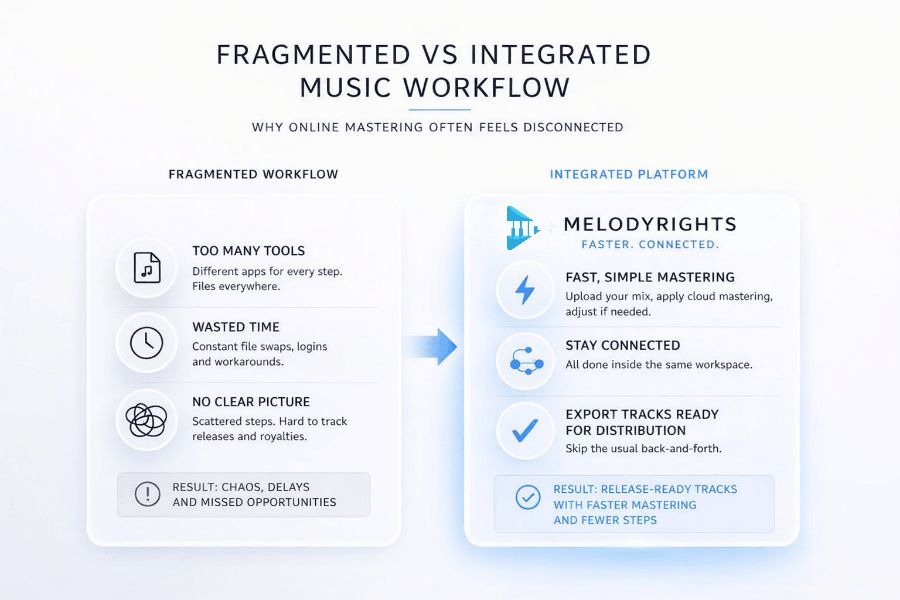
How online mastering songs should feel
If mastering is part of releasing, it shouldn’t feel like a detour.
In a clean workflow, you should be able to upload your track, make the finishing moves, and get to a release-ready file without bouncing versions around, before uploading it to your distributor.
That’s what cloud-based mastering should mean in practice. Not just where it happens, but how little it interrupts you.
How Melody Rights approaches it
Melody Rights does not distribute your releases to Spotify or Apple Music. You still use your existing distributor for that.
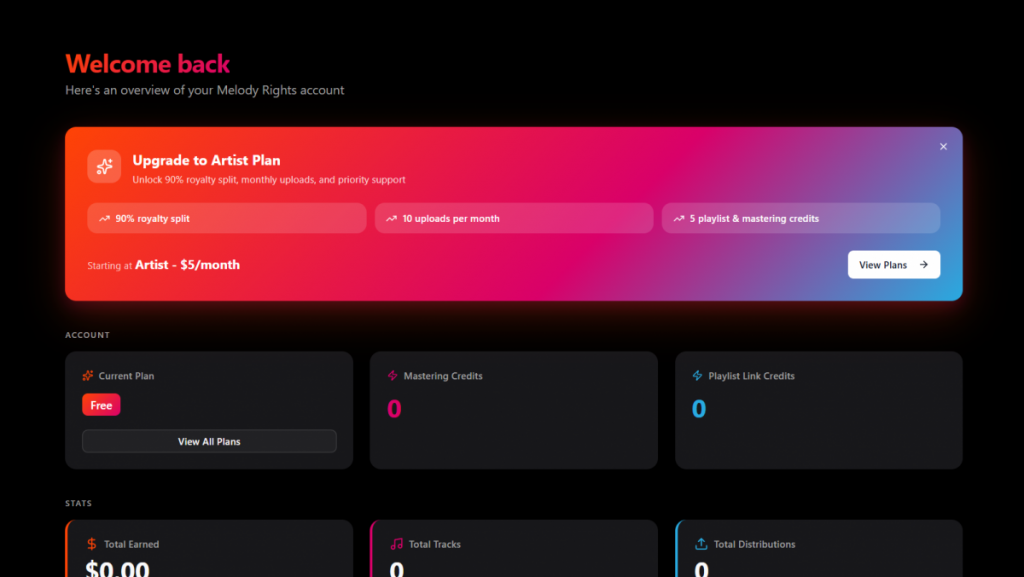
What Melody Rights does is keep the mastering step inside the same workspace where you manage your tracks. You upload your mix, run automated cloud mastering, tweak the result if you want, then export a release-ready master to upload to your distributor.
It can also support distribution to sync and licensing platforms, so you are not juggling separate tools for that side of your catalog either.
The point is not to replace distribution. It is to make the step before distribution quicker and less fiddly, with fewer file handoffs and fewer versions to keep track of.
Founder insight
“Artists have been paying for instant mastering tools for years. We wanted to remove that barrier and bring mastering into the same place you manage your music.”
— Bobby Cole
In practical terms, mastering takes just a few seconds, and you can either use simple presets like rock, jazz or electronic, or adjust things yourself with our customisation feature if you want more control.
Who this is actually for
This setup is aimed at independent artists who want to release music without overcomplicating the process.
At a label level, tracks are often sent to mastering engineers, which can cost around £40–£50 per track.
That works at that level, but for most artists starting out or releasing regularly, it’s not always realistic.
When you should (and shouldn’t) master
Master when:
- The track is finished.
- The mix feels settled.
- You’re preparing to release.
Hold off when:
- You’re still changing arrangement, levels, or vocals.
- The mix isn’t final.
- You’re “trying mastering to fix the mix”.
Mastering too early doesn’t fix an unfinished track. Doing it multiple times can actually make things worse.
If you’re unsure what to do next
Keep it simple:
- If the track feels finished → master it
- If it sounds smaller next to other songs → master it
- If you’re about to release → master it first
- If you’re still tweaking → leave it for now
Is online mastering “good enough”?
For most independent artists, yes.
Not because it replaces high-end mastering in every case, but because it solves the problem most artists actually have, getting to a release-ready track without slowing everything down.
The goal is practical. Your track should sound consistent across systems and not feel out of place in a playlist.
What this really comes down to
Most artists don’t struggle because mastering is hard to understand.
They struggle because it sits awkwardly in the workflow.
Once that friction disappears, releases happen faster, you second-guess less, and you spend more time making music instead of moving files around.
What comes after
Once the track is ready, the focus shifts to outcomes:
- Learn how artists generate income in
How to make money from music online - See how tracks get placed in
Music sync opportunities and licensing pipelines - Compare options in
Independent music distribution companies explained
FAQs
What is online mastering songs?
It’s preparing a track for release using cloud-based tools so it sounds balanced, loud enough, and consistent across streaming platforms.
Why does my track sound quieter than others?
Usually, because it hasn’t been mastered to a competitive level. Streaming platforms don’t fix tone or energy, just volume.
Do I need mastering before Spotify?
In most cases, yes. Without it, your track can feel like it sits behind other releases.
Can I master and release music in one place?
Usually not. Online mastering prepares your track, but distribution to Spotify and Apple Music typically happens through a separate distributor/aggregator. Some platforms make mastering and export feel more connected, but the final upload and release management still sits with your distributor.
Final thought
Mastering isn’t meant to be a hurdle.
If it feels like one, it’s usually not the music; it’s the process around it.
Fix that, and everything after “finished” starts moving a lot more smoothly.
Fact-checked by Bobby Cole, music rights specialist.